 03
03The hard part was not memory.It was not breaking flow.
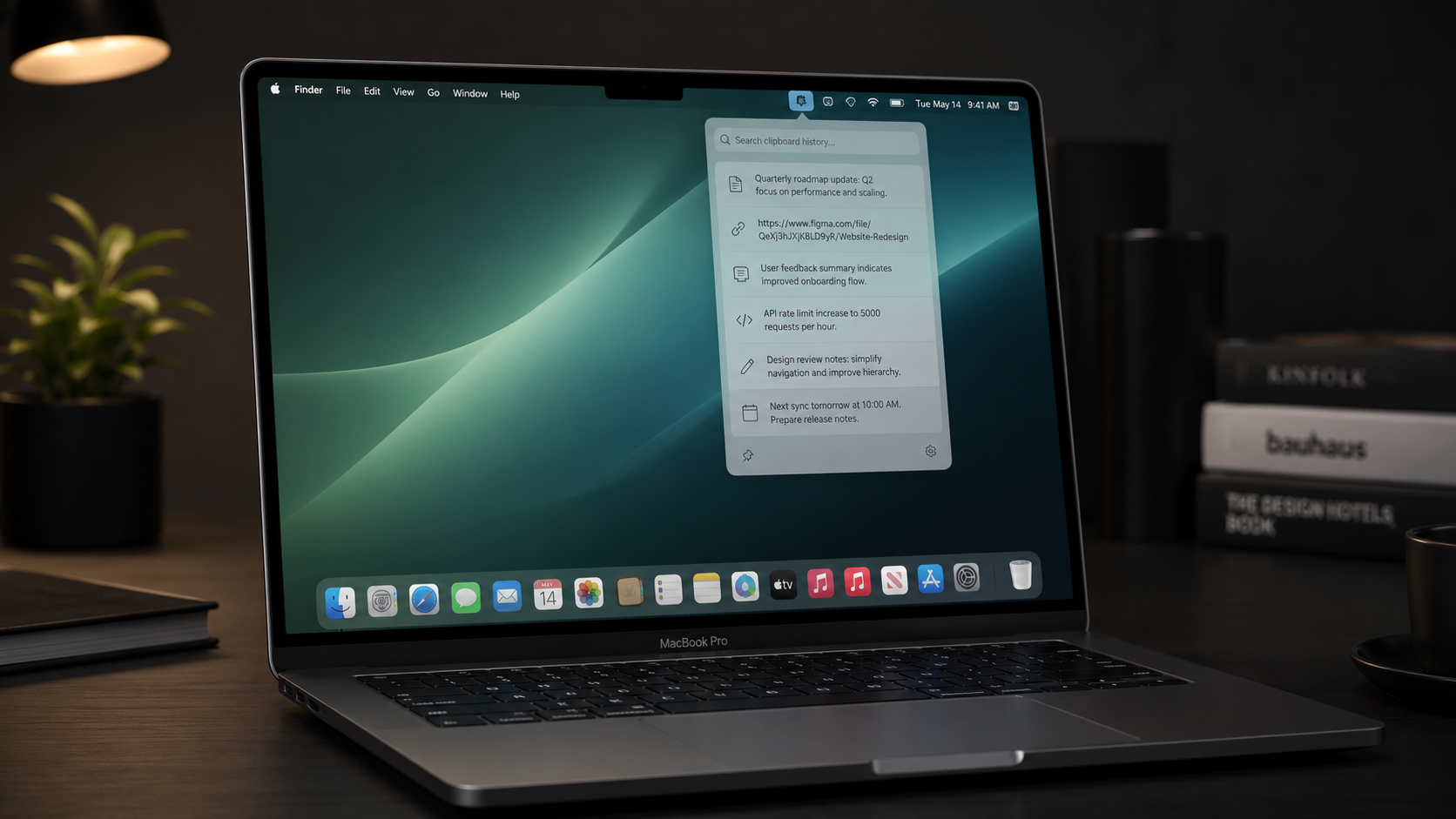
What I tested was not whether clipboard history could be stored, but whether users could recover recent context without leaving the task they were already working on.
Case focus
The hard part was not storing clipboard history. It was recovering context without breaking flow.
Clippy started as a small macOS menu-bar clipboard manager. The useful product question became sharper during testing: when someone is typing across ChatGPT, Codex, VS Code, browsers, WeChat, and notes, can a clipboard tool recover recent context without making the user leave the task they are already in?
This case is not a feature showcase. It is an editorial recap about context recovery, focus handoff, local trust, release-readiness judgment, and why AI-adjacent features should wait until the core loop stops feeling random.
⌘⇧V
Summon near the text caret, not in a random corner
↑↓ ↵ Esc
Keyboard selection hardened through WebView and AppKit fallbacks
127.0.0.1
Local API boundary with token-gated WebView access
01 — Product context
AI workflows do not need more memory if memory breaks context.
In an AI-heavy workflow, users constantly move between chat tools, editors, browsers, and messaging apps. The problem is not that copied content disappears. The problem is that recovering it often interrupts the task already in progress.
Clippy is not meant to open another history list. It is meant to appear inside the current writing context, let users choose quickly by keyboard, paste accurately, and disappear.
Draft reply to candidate...
Temporary evidence panel: the input context, Clippy panel, keyboard selection, and paste recovery are shown as one continuous loop.
02 — Product problem
A clipboard manager fails the moment it steals the task.
A basic clipboard history tool is easy to build. The harder product problem is making sure it does not take over the current task. Too far from the caret, and users have to search for it. Unstable hotkey, and trust disappears. Missed arrow key, and the keyboard flow breaks. Wrong paste target, and the tool becomes dangerous.
So the product bar changed from “show clipboard history” to “borrow attention without taking over.”
Broke: arrow keys still belonged to the source app.
Broke: the original paste target felt less secure.
Tradeoff: a brief focus handoff had to be accepted.
03 — Key decision
Capture first. Borrow focus briefly. Restore paste target.
At first, it looked like the hotkey was the core of the product. The real problem turned out to be focus ownership. Clippy has to capture where the user was originally typing, briefly take keyboard control so Arrow and Enter work reliably, and then paste back into the original target.
This is not a visual detail. It is a trust problem. Users do not need to understand focus handoff, but they immediately feel the cost of one wrong paste.
Focused app and text element are stored before the panel opens.
The non-activating panel owns Arrow, Enter, and Esc briefly.
Clippy hides, restores the source app, then triggers Cmd+V.
The diagram keeps the tradeoff explicit: capture first, borrow focus briefly, restore on paste.
04 — Trust boundary
Login is a trust tax until cloud value is real.
Clipboard content is inherently sensitive. It may include private chats, code, company documents, password fragments, prompts, logs, and unfinished drafts. For this kind of tool, trust is not a privacy-policy paragraph. Trust is product architecture.
Clippy defaults to local-first: local storage, localhost API, token-gated WebView access, and no required account by default. This is not technical purity. It is a product boundary.
Temporary boundary diagram: what stays on-device, what WebView can call, and why cloud login is intentionally absent.
05 — Reliability work
The release bar became a list of failure modes removed.
Clippy’s maturity is not defined by how many features it has. It is defined by how many failure modes are removed from the core loop. Before the core path is stable, AI only amplifies uncertainty.
01
HotKey library over hand-written Carbon
The hand-written Carbon path registered successfully but did not reliably trigger inside a SwiftUI + LSUIElement menu-bar app. Switching to a proven HotKey library was the pragmatic fix.
02
AppKit local keyDown fallback
When WebView keydown intermittently missed arrows, Swift added a local monitor during typing-context panels to forward Arrow, Enter, and Esc.
03
No unconditional WebView reload
Reloading on every open created a race: users could press Down before the bridge was ready. The panel now refreshes data first and reloads only as fallback.
04
UTF-8 clipboard handling
Code and rich-text snippets exposed replacement-character corruption. The backend now prefers UTF-8 plain-text candidates and rejects obviously broken strings.
Replaced hand-written Carbon path
Fallback for missed WebView arrows
Reduced bridge race on open
Rejects corrupted clipboard candidates
Temporary proof panel built from the June reliability work: HotKey, AppKit fallback, reload race, and UTF-8 handling.
06 — Product restraint
The AI features should wait until the core loop is boringly reliable.
The most important product decision in this project was not what got added. It was what should not be added yet. Clippy could easily expand into an AI memory tool, but if users cannot trust a simple copy-and-paste loop, they will not trust a more intelligent memory layer.
- Focus handoff
- Keyboard-first selection
- Paste-back reliability
- Local-first storage
- Token-gated local API
- Semantic search
- AI summarization
- Cross-device sync
- Clipboard clustering
- Smart snippet recommendation
- Forced login
- Hosted clipboard backup
- Team workspace
- AI agent actions
- Cloud memory by default
Temporary roadmap board: keep the current product bar visible without pretending the advanced AI layer already exists.
07 — Outcome & reflection
Boring reliability is the premium experience.
Clippy is not a fully commercialized product yet. But it produced a reusable product bar: a keyboard-first context recovery loop, a capture-borrow-restore focus model, a local-first trust boundary, and a failure-mode release bar.
The same applies to AI products. A useful AI tool does not always start with a stronger model. Sometimes it starts with a simpler question.
Recover recent content without leaving the active writing task.
Keep the architecture aligned with what a clipboard tool can safely ask users to trust.
Treat release quality as the removal of concrete failure paths, not as a longer feature list.
Can it help the user without interrupting them first?